AI Plugin for After Effects
The AI Extension
After Effects Deserves
Stop switching between apps. Ziframe brings AI image generation, video creation, background removal, and upscaling directly into your After Effects workflow.
Why Motion Designers Choose Ziframe
After Effects is where the magic happens. AI tools should work where you work.
No Context Switching
Generate assets without leaving After Effects. No browser tabs, no separate apps, no interruptions to your creative flow.
Direct Project Import
Generated images and videos are automatically added to your project panel. Drop them into your timeline instantly.
Multiple AI Models
Access models from Google, ByteDance, Topaz Labs, and more. Choose the right tool for each task.
Multiple Simultaneous Generations
Run multiple generations simultaneously. Don't wait for one to finish before starting the next. Your time is valuable.
Cloud-Powered Speed
AI runs on powerful cloud GPUs. No local hardware requirements, no waiting for your machine to catch up.
Parallel Generation
Queue multiple requests at once. Generate variations while continuing to work on your project.
How AI Works in
Your After Effects Workflow
Open the Ziframe Panel
Access Ziframe from Window → Extensions → Ziframe. It stays docked in your workspace.
Describe What You Need
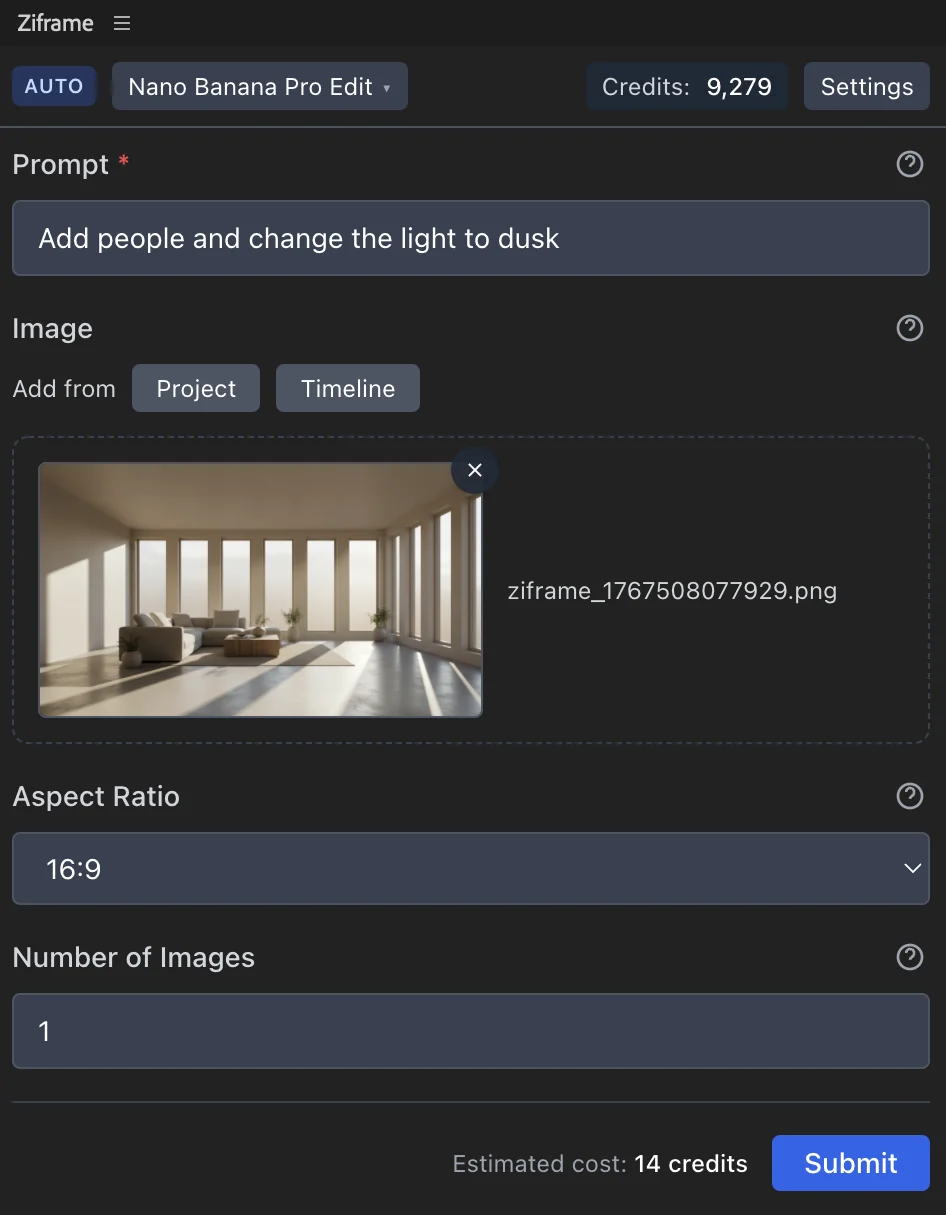
Type a prompt or select a layer to modify. Choose from image generation, video creation, or utility tools.
Generate in Seconds
Cloud GPUs process your request fast. Watch the progress in real-time while you continue editing.
Use It Immediately
Assets appear in your project panel automatically. Drag them to your timeline or comp.
AI Capabilities for After Effects
Everything you need to supercharge your motion design workflow with AI.
AI Image Generation
Create images from text descriptions using models like Google Nano Banana and ByteDance Seedream. Perfect for backgrounds, textures, concept art, and placeholder assets.
AI Video Generation
Generate video clips from prompts or images using ByteDance Seedance and WAN Video. Create B-roll, motion backgrounds, and dynamic elements.
Background Removal
Remove backgrounds from images instantly with Bria AI. Get clean alpha channels for compositing without manual masking.
Image & Video Upscaling
Enhance resolution with Topaz Labs upscaling. Upscale footage up to 6x with AI-powered detail enhancement and face refinement.
Download Ziframe
Download and install the extension to start using it in After Effects.