Bring AI to your After Effects timeline
Use the latest AI models, without leaving your flow.
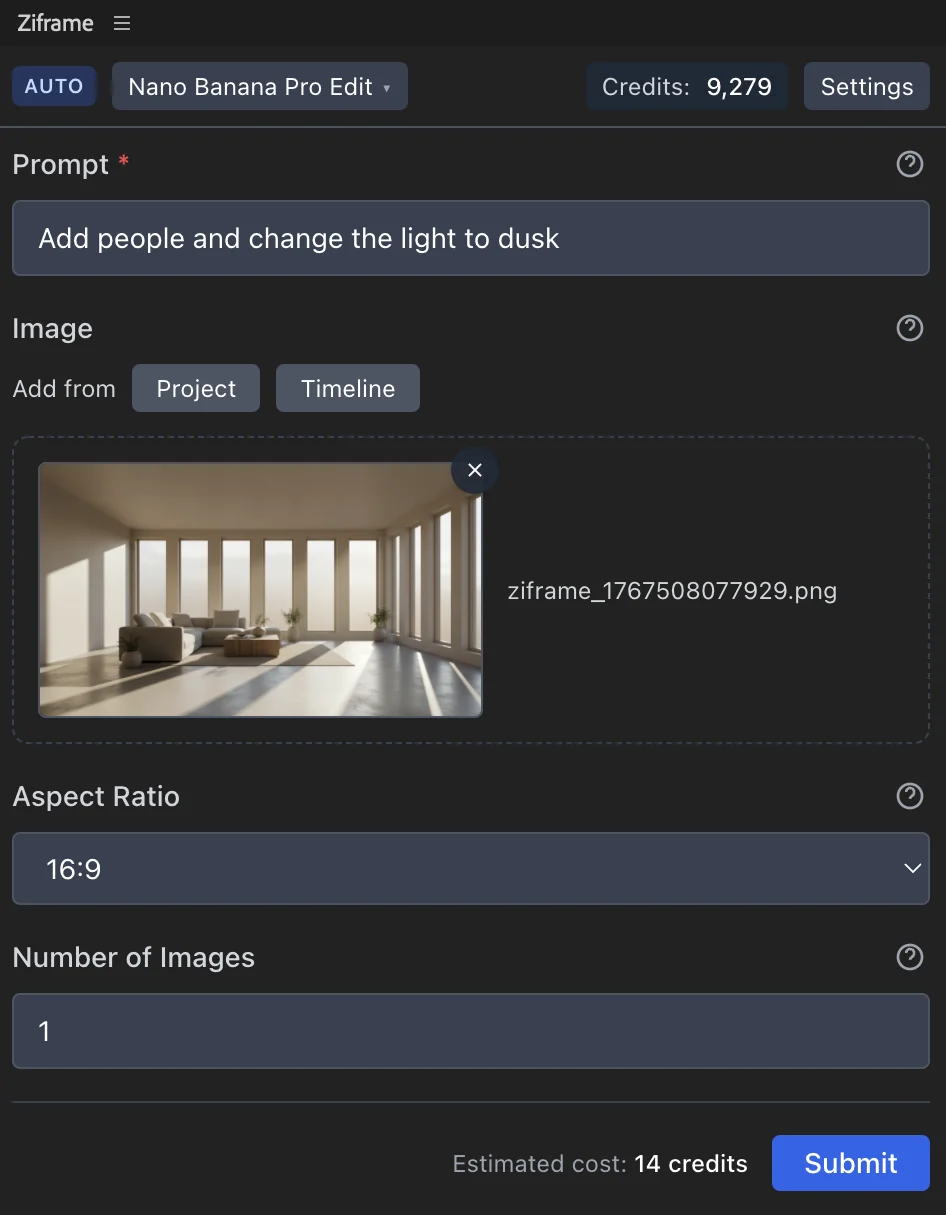

A single AI panel for a frictionless workflow
AI is a tool and it should work where you create. Reducing software switching allows you to focus on being creative.
Ziframe gives access to dozens of generative AI models to generate and edit images, videos, and audio, or use tools like background removal and upscaling. Request are fast, easy, and multiple requests can run in parallel.
How does it work?
Running AI models locally is slow, complex, and energy intensive.
That's why we run them in the cloud.
Your request is sent to a server running public models, they do the work, and return you a response. Easy ease.
AI + AE. A perfect match.
Generate images and videos fast and get the assets added directly in your project and timeline.
Keep the flexibility of After Effects combined with the power of AI image editing and video generation. The best of both worlds.
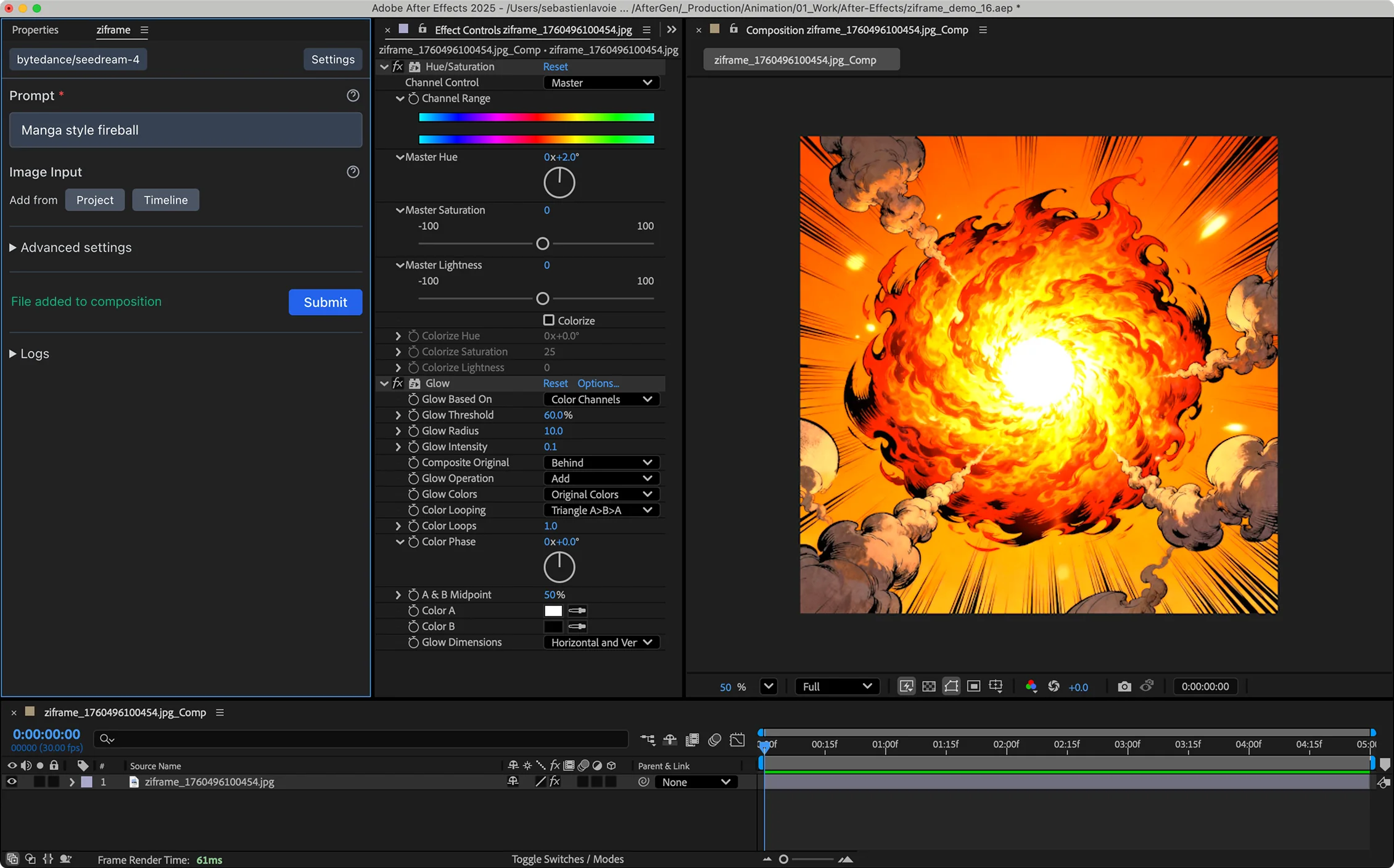
See how it works in 60 seconds
Quick demo of how to use Ziframe to generate a visual, edit it with both AI and adjustements layers, and then turn it into a video in a couple of clicks.
24 models available
Access the latest models available, with new ones added regularly.
Image models
-
Bria/background/remove i
Remove background from images with content moderation and alpha preservation options
Credits: 1 - 1
-
Bytedance/seedream-4-edit i
Seedream 4.0 Edit is a new-generation image editing model by ByteDance that integrates image generation and image editing capabilities into...
Credits: 5 - 5
-
Bytedance/seedream-4.5 i
Seedream 4.5 text-to-image generation model. A new-generation image creation model by ByteDance that integrates image generation capabilitie...
Credits: 5 - 9
-
Fal-Ai/recraft/v4/pro/text-to-vector i
Recraft V4 Pro Vector generates premium SVG vector graphics from text prompts for professional design and branding use cases.
Credits: 26 - 26
-
Google/nano-banana i
Google's Nano Banana (Gemini 2.5 Flash Image) text-to-image model that generates images from text descriptions.
Credits: 4 - 4
-
Google/nano-banana-edit i
Google's Nano Banana image-to-image / image editing model. Edit one or more input images based on a prompt.
Credits: 6 - 6
-
Google/nano-banana-pro-edit i
Nano Banana Pro (a.k.a Nano Banana 2) image-to-image / image editing model. Edit one or more input images based on a prompt.
Credits: 11 - 11
-
Prunaai/Z-Image Turbo i
Z-Image Turbo is a super fast text-to-image model of 6B parameters developed by Tongyi-MAI.
Credits: 1 - 2
-
Topaz/upscale/image i
Topaz Labs Image Upscale and Enhancement - industry-leading AI upscaling technology for professional-quality image enlargement.
Credits: 5 - 12
-
Ziframe/image-to-image i
Ziframe image-to-image model powered by Nano Banana Pro. Edit one or more input images based on a prompt.
Credits: 11 - 11
-
Ziframe/text-to-image i
Ziframe text-to-image model powered by Google's Nano Banana (Gemini 2.5 Flash Image). Generate images from text descriptions.
Credits: 4 - 4
Video models
-
Bria/video/background-removal i
Automatically remove backgrounds from videos with optional background color and output codec controls.
Credits: 13 - 378
-
Bytedance/seedance-1.5-pro-i2v i
Seedance 1.5 Pro image-to-video model (ByteDance). Animate any image into a cinematic video with synchronized audio, supporting start and en...
Credits: 5 - 144
-
Bytedance/seedance-1.5-pro-t2v i
Seedance 1.5 Pro text-to-video model (ByteDance). Generate broadcast-ready video clips with synchronized dialogue, sound effects, and music...
Credits: 15 - 120
-
Kling/v3/standard/image-to-video i
Kling V3 Standard image-to-video. Animate a start image with optional end frame guidance, optional multi-shot prompts, and optional native a...
Credits: 78 - 390
-
Ltx/ltx-2-19b-t2v i
LTX-2-19B is a state-of-the-art text-to-video model with optional audio generation. Generate high-quality videos with natural motion and coh...
Credits: 8 - 36
-
Sora-2/image-to-video i
Sora 2 image-to-video generation. Animate a single image into a detailed video clip with optional aspect ratio and duration controls.
Credits: 40 - 120
-
Topaz/upscale/video i
Topaz Labs Video Upscale - Enhance video resolution and frame rate
Credits: 1 - 2000
-
Veo3.1/fast/first-last-frame-to-video i
Generate videos by animating between a first and last frame using Google's Veo 3.1 Fast. The prompt describes how to animate between the two...
Credits: 48 - 576
-
Veo3.1/fast/image-to-video i
Generate videos by animating an input image using Google's Veo 3.1 Fast. The prompt describes how to animate the image.
Credits: 39 - 634
-
Ziframe/image-to-video i
Ziframe image-to-video model powered by Seedance 1.5 Pro (ByteDance). Animate any image into a cinematic video with synchronized audio, supp...
Credits: 5 - 144
-
Ziframe/text-to-video i
Ziframe text-to-video model powered by Seedance 1.5 Pro (ByteDance). Generate broadcast-ready video clips with synchronized dialogue, sound...
Credits: 15 - 120
Download Ziframe
Download and install the extension to start using it in After Effects.
Pricing
Choose a plan that fits your workflow.
Starter
credits per month
- What can you do with 750 credits?
- Generate around 188 images
- Generate around 50 5s videos
Pro
credits per month
- What can you do with 1800 credits?
- Generate around 450 images
- Generate around 120 5s videos
Studio
credits per month
- What can you do with 4000 credits?
- Generate around 1000 images
- Generate around 267 5s videos
Frequently asked questions
More information about Ziframe and how it works.
Do I need credits to process requests?
Ziframe is a bridge between After Effects and cloud models. It does not run the models on your machine. Your requests will only be processed if you have credits. Each request will consume a certain amount of credits that depends on the model you are using and the complexity of the request.
I found a bug, what should I do?
The app is still in beta. We are working on adding more models and features. Some bugs might occur. Please contact us to report them.
Do you keep the assets uploaded and produced?
We take privacy seriously.
- Requests data such as: prompt, model, and settings are stored in our database.
- Basic user information such as: name, email, and credits are stored in our database.
- User-uploaded assets such as: images, videos, and audio are sent to the model provider*. We delete it after 24 hours.
- Model-created assets such as: images, videos, and audio are stored on our servers for 7 days and then deleted.
*Requests are processed through our model provider, fal.ai, which is a trusted third party.
Do I get free credits to test?
Yes, when creating your account, you will get 25 free credits to test. This should give you about 5 images generation.
Do my credits expire?
No, your credits never expire. You can use them as long as you have an account.
Do my credits accumulate?
You can accumulate two times your monthly credits. So if you have a Studio plan, you can accumulate 8000 credits.
I'd like to use a model that's not available, will it be added?
We keep adding models regularly. If they were just released, give us a little time to implement it. Feel free to contact us for suggestions.